Scoring64 日本語 Download free

Digital grading for teachers.

Paper tests,
graded on your computer.

From the scanned PDF to marked papers you can hand back.
Bubbles and written answers, in one window.

Free for 2 tests a month. No limit on students.

AI grading connects to Codex or Claude Code.
Their fees and limits are separate. Requirements

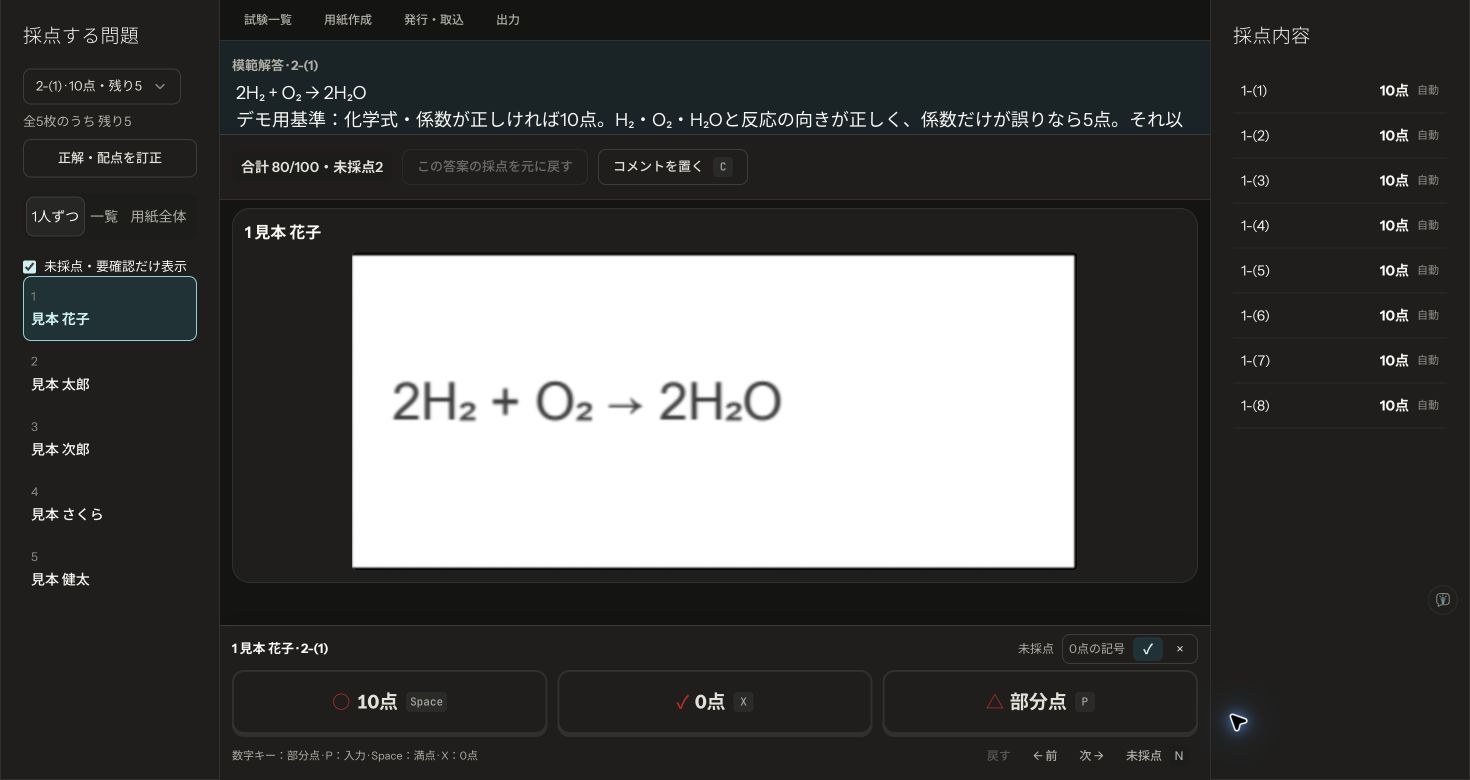
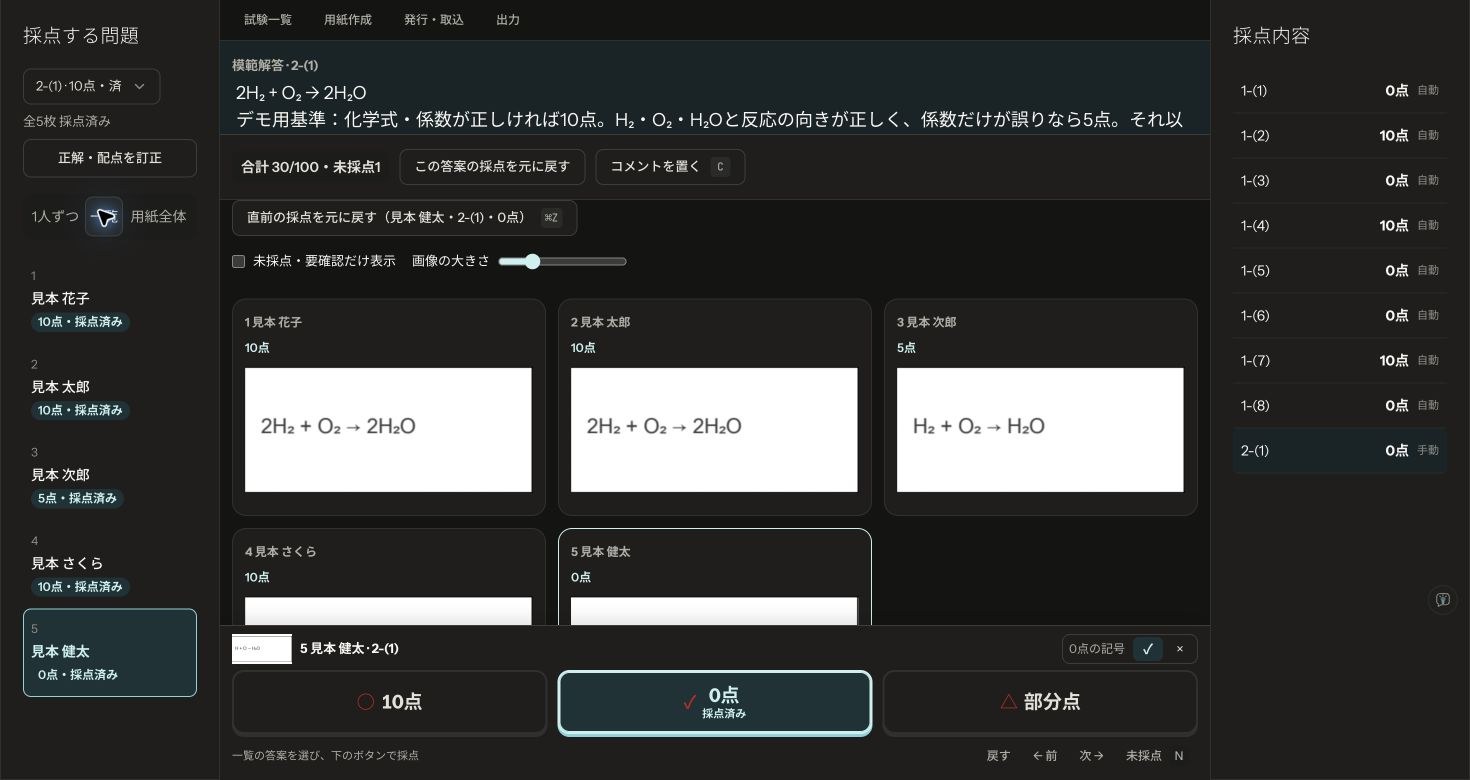
Scoring64 grading screen: sample written answers side by side, marked full marks, partial credit or zero.
Real grading screen · fictional sample answers, Japanese interface Enlarge

From scan to hand-back.

Scroll to see howWindows / Mac

YOUR GRADING WORKFLOW

Import. Grade. Hand back.

Your usual tests, on the computer you already have.

01 IMPORT

Start from the
PDF of your test.

Bring in the worksheet you already use,
and Scoring64 finds the answer boxes.
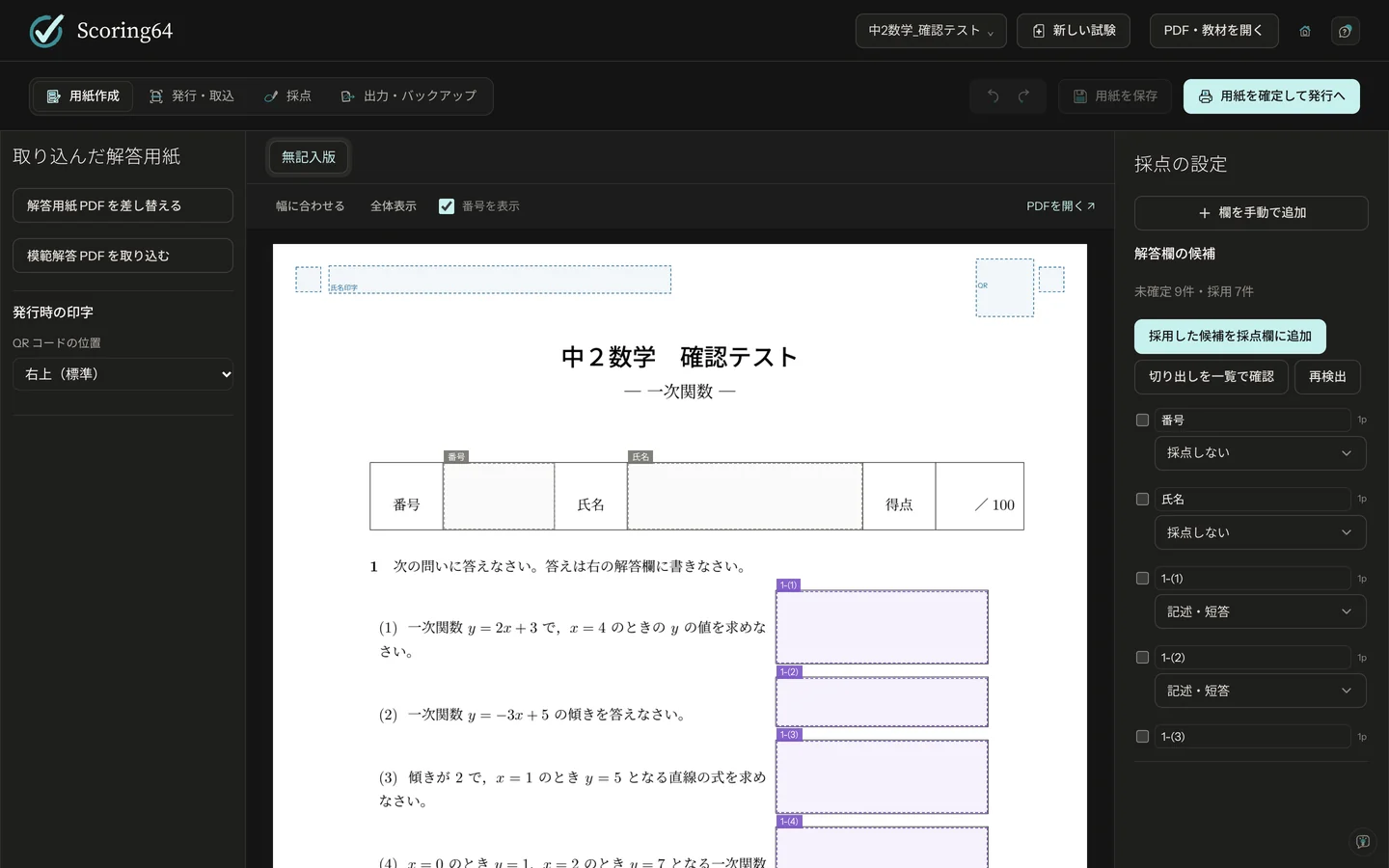
Preparing the sheet
Scoring64 after importing a worksheet PDF, with the suggested answer boxes outlined.
Check the sheet and the suggested answer boxes.Full size
02 GRADE & REVIEW

Grade to your rubric,
checking as you go.

Bubbles are graded automatically, written answers on screen.
An outside AI can help. You have the final say.

How AI grading works
Grading one sample question with the answer key and rubric shown above the answers.
One question at a time, with the key and rubric in view.Full size
03 EXPORT

Hand back,
straight from grading.

Marked answer sheets as PDFs,
with a score sheet alongside.

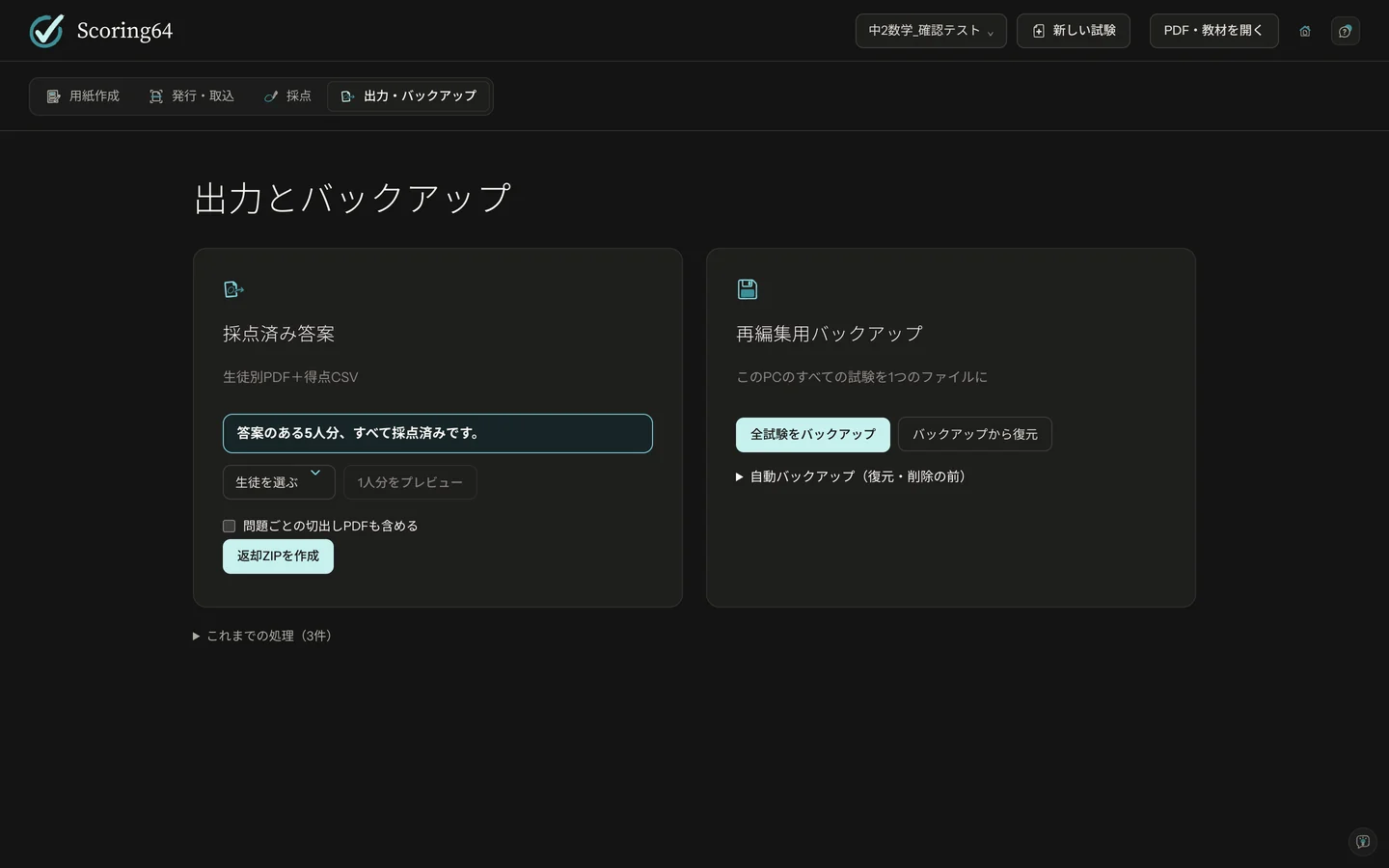
Returning results
Exporting marked answer sheets as one PDF per student and a scores CSV.
A marked PDF for each student, and a scores CSV.Full size

AI, WITH YOUR REVIEW

The AI reads.
You check.

Give an outside AI the answer key and your rubric,
and it can grade the written answers.

Setting up AI grading
  1. 01

    Prepare the key and rubric

  2. 02

    Grade with Codex / Claude Code

  3. 03

    Review, then hand back

AI grading works through a plugin that connects to an outside AI service. That service's fees and limits apply, and the answers the AI reads may be sent to it.

Regular on-screen grading and bubble reading stay on your computer.
How answer data is handled

START WITH YOUR NEXT TEST

Begin with one test.

Every feature free for 2 tests a month.
No limit on students.

WINDOWSDownload for Windows

Windows 10 / 11 · 64-bit

MACDownload for Mac

Apple silicon (M1 or later) · not for Intel Macs

Scoring64 is in English on Windows and Mac from version 1.2.0.

Scoring64 is made by Fermion Inc., a small software and typesetting company in Shibuya, Tokyo, run by students at the University of Tokyo. Questions in English or Japanese: contact@fermion.company